
Find your text size
Use the slider and preview to choose a comfortable reading size.
A view that works for you
Give the details room to breathe. Adjust text, appearance, and contrast to suit the way you read.
TOURGUID STORIES / 08 OF 09
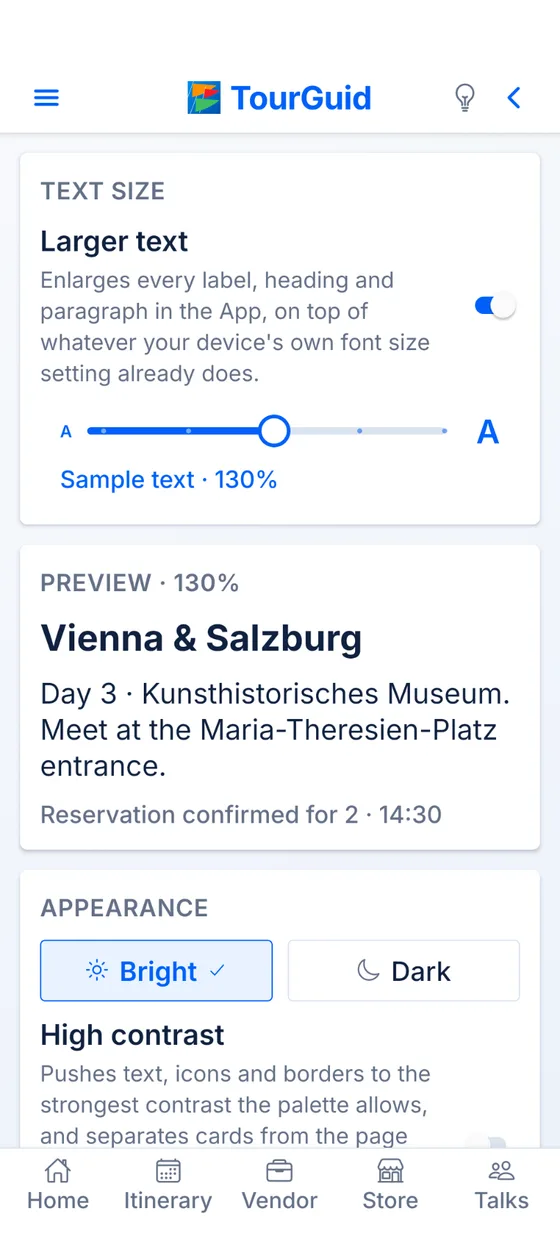
A meeting point. A reservation time. The name of the place you’ve been looking forward to. When you’re traveling, being able to read the details comfortably matters.
TourGuid gives you ways to shape the view. Enlarge labels, headings, and paragraphs with the text-size control. Choose Bright or Dark appearance. Turn on High contrast to make text, icons, and boundaries more distinct.
Travel together / 08
High contrast strengthens text, icons, and borders, separates cards by tone, and replaces muted secondary text. Larger text works on top of your device’s own font-size setting, with a preview to help you choose.
Spend your attention
on the journey.
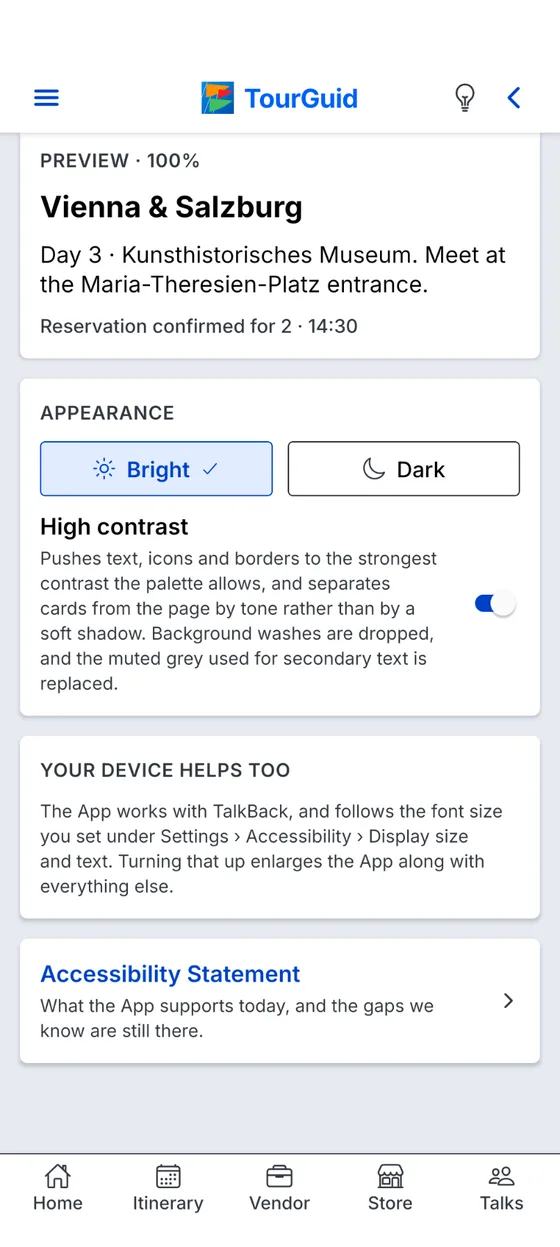
Use the slider and preview to choose a comfortable reading size.
Switch between Bright and Dark modes.
Make text, icons, and card boundaries stand out.
Pre-launch test
TourGuid is in pre-launch testing. Join on your phone, plan a real trip with your people, and tell us what needs fixing.
Opens in TestFlight. Install TestFlight first if you don’t have it.
Tap to choose how to join. If Google Play says you’re not eligible, join the tester group first.
Questions or trouble joining? admin@tourguid.net
